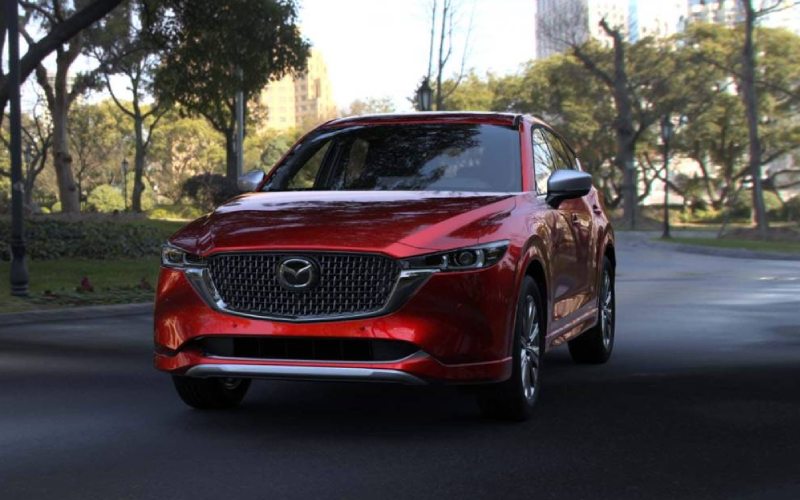
CardinaleWay Mazda Corona - Why Mazda Connect™ Makes the 2025 Mazda CX-5 Feel Effortless on Yorba Linda, CA Drives
The 2025 Mazda CX-5 integrates Mazda Connect™ and a 10.25-inch center display to simplify every part of your drive, from the morning school loop to evening cross-town errands around Yorba Linda, CA. By placing core functions at your fingertips—navigation, calls, playlists, and more—the interface feels intuitive without overloading you with screens or menus. Voice commands and tactile controls work in tandem to reduce distraction, helping you stay focused on the road while still enjoying the information and entertainment you expect. It’s an approach that keeps the cabin calm and cohesive, whether you’re switching between Apple CarPlay™ playlists, responding to a quick message, or checking directions for a late-day meeting.
Pairing your phone takes just moments, and once connected, Mazda Connect™ presents a clean visual layout that favors clarity and quick recognition. For many drivers, this layout is the difference between fumbling for a function at a red light and making a confident selection by feel. Integration with Android Auto™ and Apple CarPlay™ brings your favorite apps forward, while the available Bose® audio system adds rich depth to podcasts and music. The result is a continuous rhythm—tap, scroll, confirm—that becomes second nature after a few drives, so you can think less about the interface and more about the journey. On busy Yorba Linda boulevards or winding residential roads, the CX-5’s in-cabin tech stays out of the way until you need it, then delivers what you want with precision.
Owners also appreciate how the CX-5’s connected foundation extends beyond the screen. With Mazda Connected Services and the MyMazda app, you can remotely start the engine, lock or unlock doors, and find your vehicle—all from your phone. On hot days, pre-conditioning the cabin can make a dramatic difference in comfort, and having remote access means you can set the tone for the drive before stepping outside. This is especially useful when juggling a busy schedule—kids’ activities, work appointments, and last-minute grocery runs—because the vehicle meets you where you are, not the other way around. The combination of intuitive in-vehicle controls and thoughtful remote capability turns the CX-5 into a seamless partner for daily life.
On the road, the cabin’s ergonomics support the tech story. The command controller rests where your hand naturally falls, and the graphics on the 10.25-inch display are sized for quick recognition at a glance. Instead of tapping through complex menus, most interactions are a couple of quick motions. Pair that with available driver-assist features such as Traffic Jam Assist and available 360° View Monitor, and you’ve got a vehicle that anticipates your needs. The systems work together to help you navigate tight parking, heavy traffic, and unfamiliar routes with more ease and less stress. This synergy is what makes the CX-5 feel just right for fast-paced days and family routines alike.
For shoppers comparing tech across compact SUVs, the 2025 CX-5’s edge is its thoughtful balance. The technology is advanced, but the learning curve is gentle; the interface is crisp, but it never feels busy. That combination resonates with families who want clarity and safety, and with commuters who value focus and flow. It’s also why the CX-5 continues to earn loyal fans who prize consistency from one model year to the next. If you’re building a daily routine around simplicity and confidence, these details matter—and they’re precisely where the CX-5 shines.
Frequently Asked Questions:
How quickly can I pair my phone with Mazda Connect™?
Most phones pair in minutes. Once connected, your device will be recognized automatically on future drives for fast, consistent access to apps and contacts.
Does Apple CarPlay™ work wirelessly?
Availability can vary by trim and equipment. The CX-5 supports seamless Apple CarPlay™ and Android Auto™, with controls optimized for the 10.25-inch display.
Can I use voice commands for navigation and calls?
Yes. Voice inputs help you place calls, select music, or navigate without taking your eyes off the road, supporting a more focused, confident drive.
What does the MyMazda app add to daily convenience?
Remote Engine Start, lock/unlock, and vehicle location tools streamline life’s busy moments—especially helpful before school runs or evening pickups.
For shoppers seeking a supportive, straightforward tech experience, this SUV delivers modern capability without complexity. If you’re comparing options or want a hands-on demo, CardinaleWay Mazda Corona can walk you through pairing, controls, and tips that fit your routine—serving Ontario, Pomona, and Yorba Linda.